Starting a YouTube automation channel involves creating videos without showing your face, using your own voice, or even filming any footage yourself. The core idea is to streamline the content creation process, often leveraging AI tools, stock footage, and outsourced talent, to produce videos at scale. This can be a highly lucrative model if executed well, but it requires strategic planning and execution.
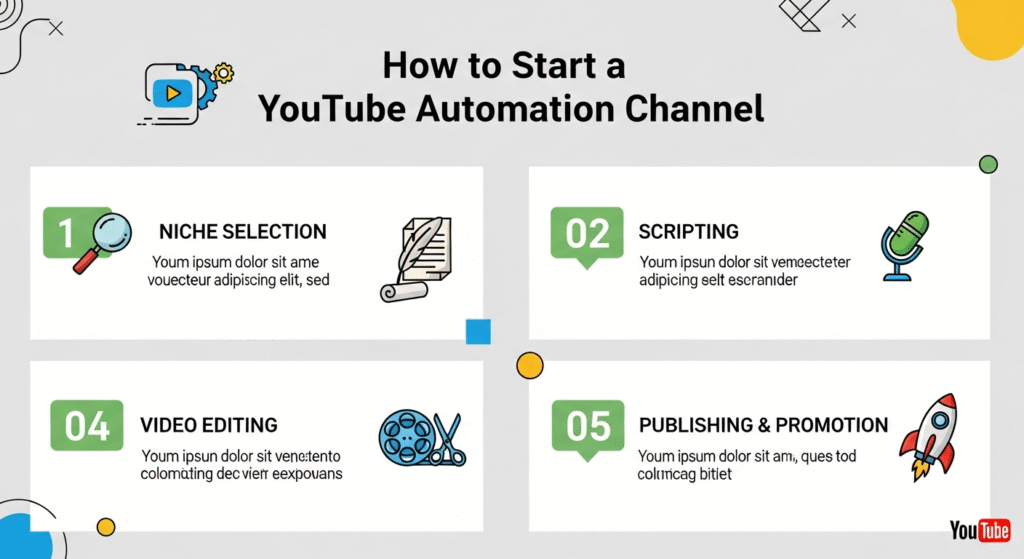
Here’s a step-by-step guide on how to start a YouTube automation channel:
Step 1: Niche Selection and Market Research
This is the most critical step. Your niche determines your audience, content style, and earning potential.
- Identify Profitable Niches: Look for niches with:
- High demand/interest: Topics people are actively searching for.
- High CPM (Cost Per Mille/Thousand Views): Niches like finance, real estate, luxury, technology, health, and business generally have higher ad rates.
- Evergreen content: Topics that remain relevant over time.
- Large audience: Broad enough to sustain many videos, but specific enough to target.
- Easy to find stock content: Make sure you can easily source relevant footage and images.
- Examples: Luxury lifestyle, personal finance tips, tech reviews (with product images/footage), true crime stories, historical facts, top 10 lists, motivational content, animal facts, “relaxing music” channels.
- Analyze Competition:
- Search YouTube for similar channels: See what they’re doing well and where they fall short.
- Look at their subscriber count, view count, and video frequency.
- Identify content gaps: What topics aren’t being covered well? What unique angle can you bring?
- Validate Your Niche:
- Use YouTube search suggestions and Google Trends: See if there’s sustained interest.
- Check existing automation channels: Are there successful channels that are clearly automated? This indicates a viable niche.
Step 2: Channel Setup & Branding
Once your niche is chosen, establish your channel’s identity.
- Create Your YouTube Channel: Use a professional-sounding name relevant to your niche.
- Design Channel Art:
- Banner: Visually appealing, clearly states what your channel is about.
- Profile Picture: A logo, not a personal photo (since it’s an automation channel).
- Thumbnails: Develop a consistent, eye-catching thumbnail style. This is HUGE for click-through rates.
- Tools: Canva, PicMonkey, Fiverr (for outsourcing design).
Step 3: Content Creation Workflow (The Automation Core)
This is where you leverage tools and outsourcing to create videos efficiently.
- Scriptwriting:
- Manual: Research and write scripts yourself.
- AI Tools: Use ChatGPT, Claude, or other AI writing tools to generate initial scripts or outlines. You’ll need to edit and fact-check heavily to ensure quality and originality.
- Outsourcing: Hire freelance scriptwriters on platforms like Fiverr or Upwork.
- Focus: Informative, engaging, and clear language.
- Voiceover (the “Voice” of your channel):
- AI Voice Generators: Use text-to-speech (TTS) software.
- Recommendations: ElevenLabs (highly realistic, expressive AI voices), PlayHT, Murf.ai, Descript (includes a “text-to-speech” feature), WellSaid Labs.
- Tip: Choose a voice that matches your niche’s tone (e.g., authoritative for finance, calm for meditation).
- Outsourcing: Hire professional voiceover artists on Fiverr or Upwork for a more human touch.
- Consistency: Stick with the same voice for brand recognition.
- AI Voice Generators: Use text-to-speech (TTS) software.
- Visuals (the “Video” part):
- Stock Footage & Images:
- Recommendations: Pexels, Pixabay, Unsplash (free), Envato Elements, Storyblocks, Depositphotos (paid, higher quality, larger variety).
- Strategy: Combine relevant clips and images that illustrate your script. Look for visually engaging footage that keeps viewers interested.
- AI Video Generators: Some tools can generate basic video clips or intros from text.
- Screen Recordings: If your niche involves software tutorials or data analysis, screen recordings can be used.
- Animation/Motion Graphics: Use tools like Canva, Renderforest, or outsourcing to add dynamic elements.
- Avoid copyright issues: Always use royalty-free or properly licensed assets.
- Stock Footage & Images:
- Video Editing:
- Software: DaVinci Resolve (free, powerful), CapCut (free, mobile/desktop), Kdenlive (free, open source), Filmora, Adobe Premiere Pro (paid).
- Process:
- Sync voiceover with visuals.
- Add background music (royalty-free from YouTube Audio Library, Epidemic Sound, etc.).
- Add text overlays, captions, transitions, and effects.
- Ensure smooth flow and engaging pace.
- Outsourcing: Hire video editors on Fiverr or Upwork. This is often where a lot of the “automation” comes in, as you delegate the time-consuming editing.
- Music & Sound Effects:
- Sources: YouTube Audio Library (free), Epidemic Sound, Artlist (paid, high-quality, royalty-free).
- Strategy: Choose background music that enhances the mood without distracting from the voiceover.
Step 4: Optimization for YouTube
Getting views is crucial for monetization.
- Compelling Thumbnails: As mentioned, design eye-catching, consistent thumbnails.
- Strong Titles:
- Keywords: Include relevant keywords for searchability.
- Curiosity/Benefit: Make them intriguing or promise a solution/information.
- Detailed Descriptions:
- Keywords: Repeat keywords naturally.
- Timestamps: Help viewers navigate longer videos.
- CTAs: Link to other videos, social media, or affiliate products.
- Tags: Use relevant tags to help YouTube understand your content.
- End Screens & Cards: Promote other videos or a call to action within your video.
Step 5: Monetization Strategies
Once your channel meets YouTube’s eligibility requirements (1,000 subscribers and 4,000 watch hours in the past 12 months, or 10 million valid public Shorts views in 90 days), you can apply for the YouTube Partner Program.
- YouTube Partner Program (Ad Revenue):
- This is the primary way automation channels earn money. The higher your CPM niche, the more you earn per thousand views.
- Affiliate Marketing:
- Integrate naturally: Recommend products, services, or courses relevant to your niche.
- Links: Place affiliate links in your video descriptions and potentially in pinned comments.
- Selling Your Own Digital Products/Services:
- E-books, courses, templates: If your niche allows, create and sell your own knowledge products.
- Coaching/Consulting: Offer specialized services if you have the expertise.
- Brand Deals/Sponsorships (once established):
- Even without showing your face, if your channel has a large, engaged audience, brands might sponsor videos.
Step 6: Scaling and Growth
To maximize income, you need to scale your output and audience.
- Batch Content Creation: Produce multiple scripts, voiceovers, or even full videos in batches.
- Refine Your Workflow: Continuously look for ways to make your production process faster and more efficient.
- Invest in Outsourcing: As you earn, reinvest in hiring more freelancers (writers, voiceover artists, editors) to increase your video output.
- Promote Your Channel:
- Social Media: Share snippets or full videos on other platforms.
- Collaborate (if applicable): Partner with other automation channels or creators in your niche.
- Analyze & Adapt: Use YouTube Analytics to understand what’s working and what’s not. Adjust your content strategy based on data.
Important Considerations & Warnings:
- Quality over Quantity: While automation implies scale, low-quality, generic content will not succeed. Your videos must provide value and be engaging.
- Copyright & Fair Use: Be extremely careful with all visual and audio assets. Do not use copyrighted material without permission or proper licensing. YouTube’s Content ID system is robust.
- YouTube’s Reused Content Policy: YouTube has strict policies against “reused content” that lacks significant original commentary, educational value, or transformative purpose. Simply compiling stock footage with an AI voiceover might not be enough. You need to add unique value through insightful scripts, creative editing, or a distinct perspective.
- AI Voice Disclosure: As AI voice generation becomes more sophisticated, YouTube may require disclosure if an AI voice is used, especially for sensitive topics. Stay updated on their policies.
- Monetization Eligibility: It can take time to meet the eligibility requirements for the YouTube Partner Program. Be patient and consistent.
- No “Get Rich Quick”: YouTube automation is a business model that requires dedication, continuous effort, and strategic investment.
By following these steps and maintaining a focus on quality and value, you can build a successful YouTube automation channel.