Finch3D vs. TestFit: Which generative design tool wins for architectural feasibility? We compare workflows, cost analysis, and real-world application for US architects.
There is a specific, sinking feeling that every architect knows all too well. You spend three weeks pouring your heart into a concept design. You create sweeping curves, beautiful solar shading, and an inspiring atrium. Then, you present it to the developer. The developer stares at the model, looks at their calculator, and says, “I love the design, but the parking ratio is off by 15 spots. We need to scrap the atrium and add another floor of units. The numbers just don’t work.”
This is the brutal reality of architectural feasibility. The artistic vision is constantly hammered into submission by the financial proforma. But what if you could let a computer run the feasibility math before you even started drawing?
This is the promise of Generative Design tools like Finch3D and TestFit. Both are designed to automate the grueling early-stage spatial planning phase, but they approach the problem from completely opposite ends of the spectrum. Finch3D is a sculptor’s tool. TestFit is a developer’s calculator.
Today, we are going to pit these two heavyweights against each other. We will break down their workflows, their costs, and their strengths, so you can decide which one belongs in your architectural arsenal.
Understanding the Feasibility Problem in US Architecture
To understand why these tools matter, we have to look at the broken workflow they are replacing.
The “Front-End” Bottleneck
In the traditional architectural process, the first 10% of the project timeline is called the “Feasibility Study.” This phase determines 80% of the project’s profitability. You have to figure out the number of units, the parking layout, the floor area ratio (FAR), and the zoning setbacks.
In the old days, an architect would spend days manually drawing iterations of these layouts in Revit or AutoCAD. Moving a single corridor meant moving 10 walls, which meant recalculating square footage, which meant sending an email to the structural engineer. It was agonizingly slow, and it directly cut into the firm’s profit margins.
The Clash of Art and Commerce
The fundamental tension here is between the “Art” (the architect’s desire to create beauty) and the “Commerce” (the developer’s need to generate rentable square footage). These AI tools serve as a bridge. They automate the tedious commercial math, freeing up the architect to focus on the artistry.
Introducing the Contenders: A High-Level Overview
Finch3D: The Geometric Design Partner
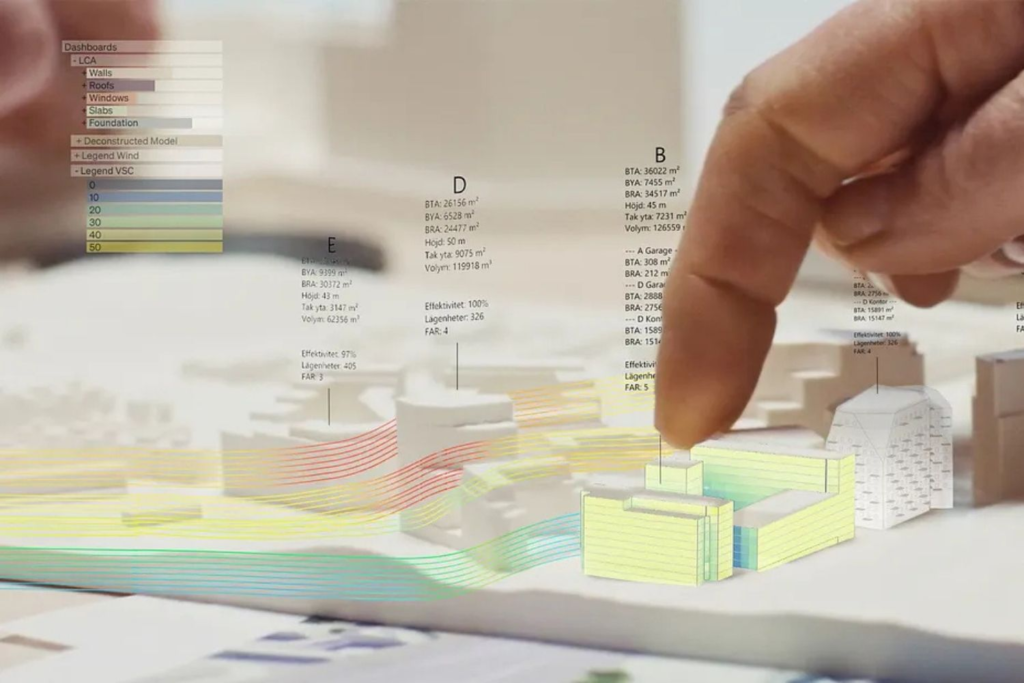
Finch3D is a plug-in that runs inside standard architectural software like Rhino 7 and Revit. It operates on a “Parametric” logic. You don’t draw walls; you draw rules. For example, you tell Finch, “This wall must always be exactly 12 feet away from the south-facing window.” Then, if you drag the window, the wall automatically follows.
It feels like architectural origami. It is incredibly flexible, allowing you to twist, bend, and morph facades in real-time. It is designed for architects who want to explore complex, organic geometry without the headache of manual redrawing.
TestFit: The Real Estate Development Engine
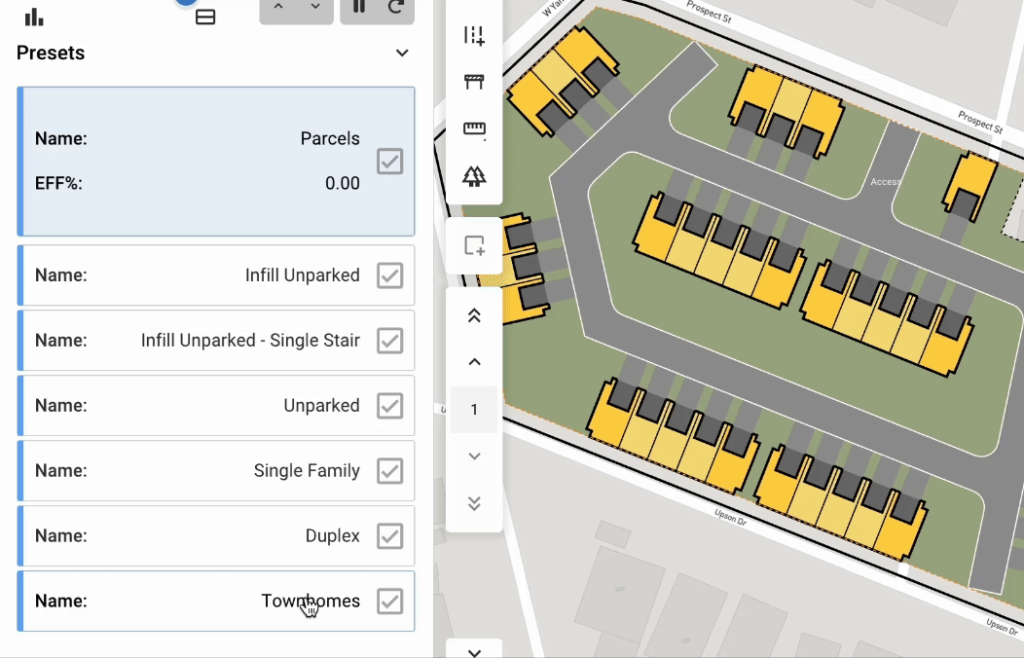
TestFit is a standalone software platform that looks and feels much more like a financial spreadsheet than a drawing board. You start by drawing a site boundary on a map. Then, you input your market constraints—target rent per square foot, construction cost per square foot, and desired number of parking spaces.
TestFit doesn’t care about aesthetic beauty. It cares about yield. It runs a genetic algorithm to stack units, design parking lots, and optimize the building footprint to squeeze every single dollar of profit out of the land parcel.
User Experience and Workflow: The “Daily Grind” Test
The Finch3D Workflow (Sculpting the Form)
If you are a designer who loves the tactile feel of Rhino, Finch will feel like a superpower. You open the Finch palette, select a wall, and assign a “Constraint.” You might say, “If I move this wall, I want the windows to automatically scale in width by 50%.”
The experience is interactive. You drag a slider, and the 3D model morphs in front of your eyes. It demands a high level of 3D modeling proficiency. You cannot use Finch if you don’t already know Rhino inside and out. It is a tool for the sculptor.
The TestFit Workflow (Crunching the Numbers)
TestFit is dramatically faster for the initial stages. You open a web browser, navigate to a satellite map of your site, and draw a polygon. You hit “Generate.” Within 15 seconds, the AI has stacked 25 apartment units in 7 different optimized configurations.
It automatically calculates the total rentable area, the parking ratio, and the estimated construction cost. The “feel” of TestFit is a ruthless, rapid-fire machine. It is designed for the calculator.
Core Capabilities Comparison
Generative Capabilities
Finch3D shines when you need complexity. If you are designing a high-end museum with a twisted, parametric facade, Finch allows you to tessellate surfaces, create variable louvers, and design intricate window patterns that breathe with the sun.
TestFit, in contrast, excels at repetition. It is a master at perfectly stacking identical, rectangular units over and over to maximize efficiency. It is the best tool in the world for designing a 400-unit apartment complex, but it would be useless for designing a Frank Gehry masterpiece.
Financial Proforma Output
This is the biggest differentiator. TestFit has a built-in proforma. As it generates the building, it updates a live dashboard showing you the cost per square foot, the estimated annual rental income, and the internal rate of return (IRR).
Finch3D is almost entirely geometry-based. It does not care about money. To calculate the financial feasibility of a Finch model, you have to manually export the geometry to Excel and crunch the numbers yourself.
Site Context Integration
TestFit is natively connected to US GIS (Geographic Information Systems) data. It automatically knows the local zoning setbacks, the allowed Floor Area Ratio (FAR), and the height restrictions for the zip code you are working in.
Finch3D is blind to geography. You have to manually import a DWG file of the site and set up the constraints by hand. It requires much more manual prep work.
The “Human Touch” Limitations: What They Both Get Wrong
I need to bring a heavy dose of reality to this comparison. Neither of these tools is a magic wand.
The “Sterile” Design Trap
Both Finch and TestFit are math-based optimizers. They will always lean towards the most efficient, geometrically simple solution. This leads to incredibly boring architecture. If you let TestFit run entirely on its own, you will end up with a generic, soul-crushing suburban apartment block.
The human architect is still absolutely essential. You must use these tools to create the skeleton, and then you must step in as the artist to add the soul—the unique cladding, the artistic entrance, the landscaped courtyard.
Building Code Blindness
This is a crucial, trustworthy warning: Neither tool understands building codes. They cannot tell you if a corridor meets the 44-inch fire egress requirement. They do not know that a specific bathroom needs an ADA-compliant turning radius. They generate concept layouts, not permitted construction documents. You still need a licensed architect to redline and approve every single dimension before a permit is issued.
Cost and Accessibility: Who Can Afford It?
Finch3D’s Pricing Model
Finch3D is an enterprise-oriented tool. Because it relies on the Rhino and Revit ecosystem, it requires an annual license. More importantly, it requires a firm to hire or train a computational designer. The barrier to entry is knowledge, not just money. It is best suited for high-end, boutique architectural firms.
TestFit’s Pricing Model
TestFit operates on a SaaS (Software as a Service) model. You pay a monthly subscription fee. Because it is web-based and requires minimal technical training to use, it is extremely accessible to independent real estate developers, investors, and small architectural studios.
The Final Verdict: Which Should You Choose?
After extensive testing, here is the honest, experience-based verdict:
Choose TestFit if…
You are a real estate developer, an investor, or a large firm focused on multi-family residential and parking optimization. Your priority is financial feasibility. You need to know, in the first hour of the project, whether the building is going to make money. TestFit gives you that answer instantly.
Choose Finch3D if…
You are a boutique design firm, a conceptual architect, or a computational designer. Your priority is form exploration and geometric complexity. You need to design a unique, visually arresting building that stands out in a crowded skyline. Finch3D gives you the power to morph shapes with the ease of a digital sculptor.
Conclusion: The Architect as a Dual-Threat
In the modern US architecture industry, you cannot survive on artistic passion alone. You must also understand the economics. The best firms of the future will not choose between Finch3D and TestFit—they will use both.
They will use TestFit in the morning to prove to a developer that the financial proforma works. They will secure the budget. Then, in the afternoon, they will take that successful footprint and import it into Finch3D. They will use Finch to inject the artistic flair, the curves, and the human warmth that turns a profitable box into a beautiful, livable home.
Generative AI is not here to replace the architect. It is here to make the architect more efficient, more financially savvy, and more creatively free.
Now, I want to hear from you. Are you a TestFit user or a Finch3D loyalist? Have you found a way to integrate both into your pipeline, or do you stick with one primary tool? Drop your experiences, your favorite prompts, and your biggest AI glitches in the comments below!